Your words on the board.
Not ours.
There is no roofing edition and no telecom edition. Canvast arrives with seven default statuses — words you are free to throw away. You write the ones your reps tap, and name the columns your managers read.
Teams who work in the field.
If your people are out there knocking, installing, selling, or servicing — Canvast was built for you.
Not as eight separate products. As one board each of them shapes into their own.
Start with the words your reps already say.
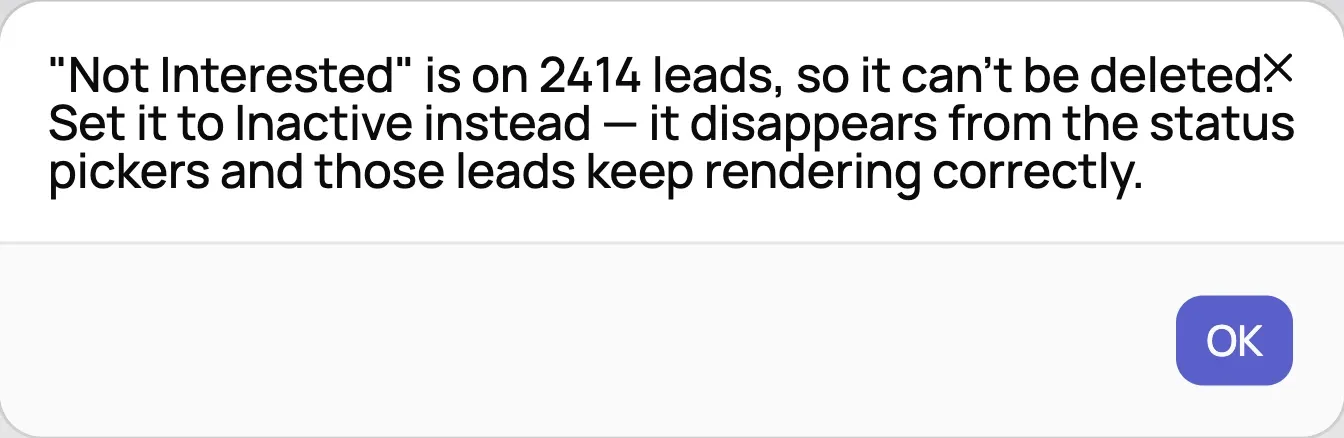
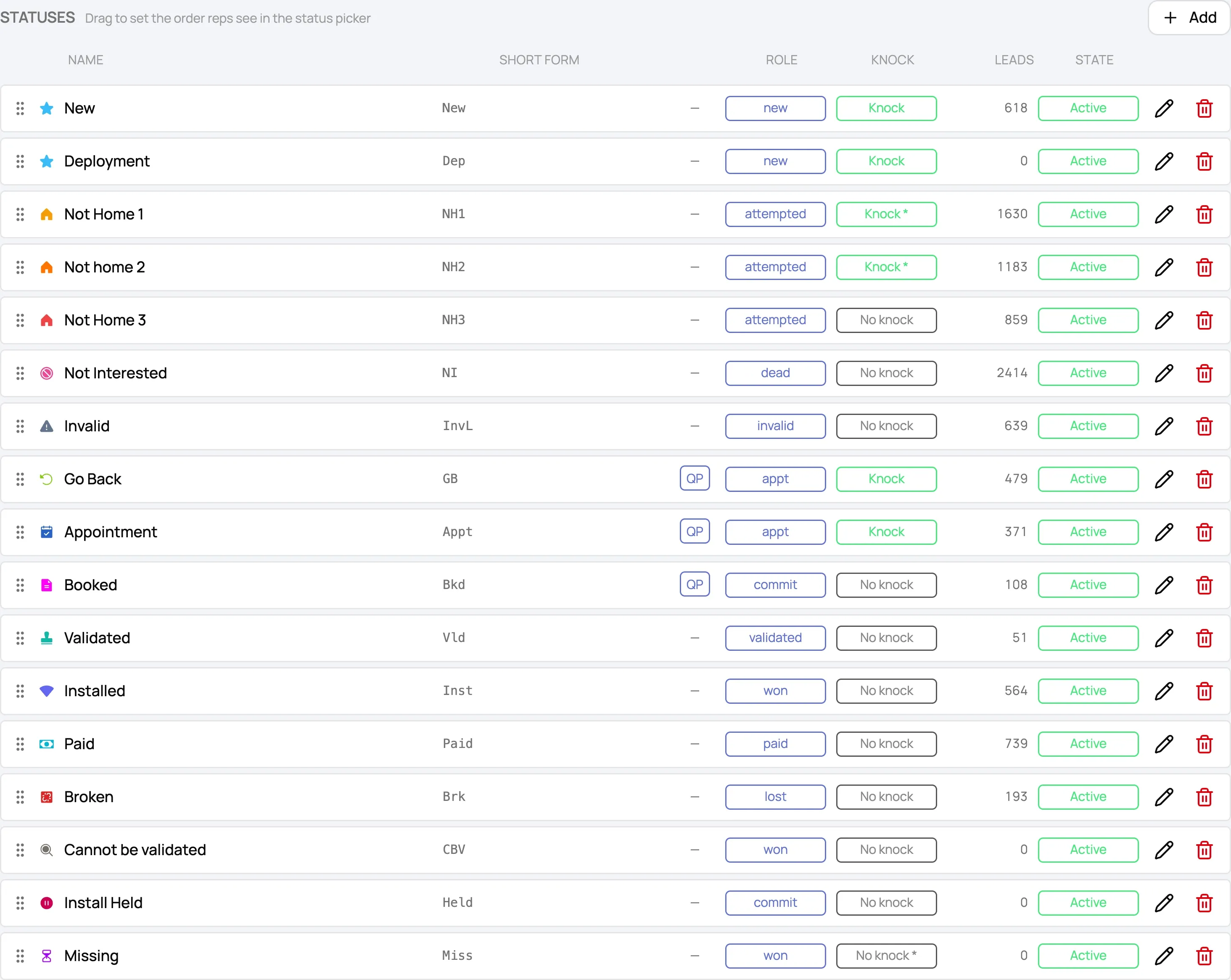
Statuses are yours. An admin adds one, names it, gives it a short form, a colour and an icon, and drags it into order. Retire one you have stopped using. Delete one nothing is sitting on — Canvast refuses if leads are still on it, and tells you how many.
The seven that ship before you touch a thing. Keep them, rename them, or replace the set.
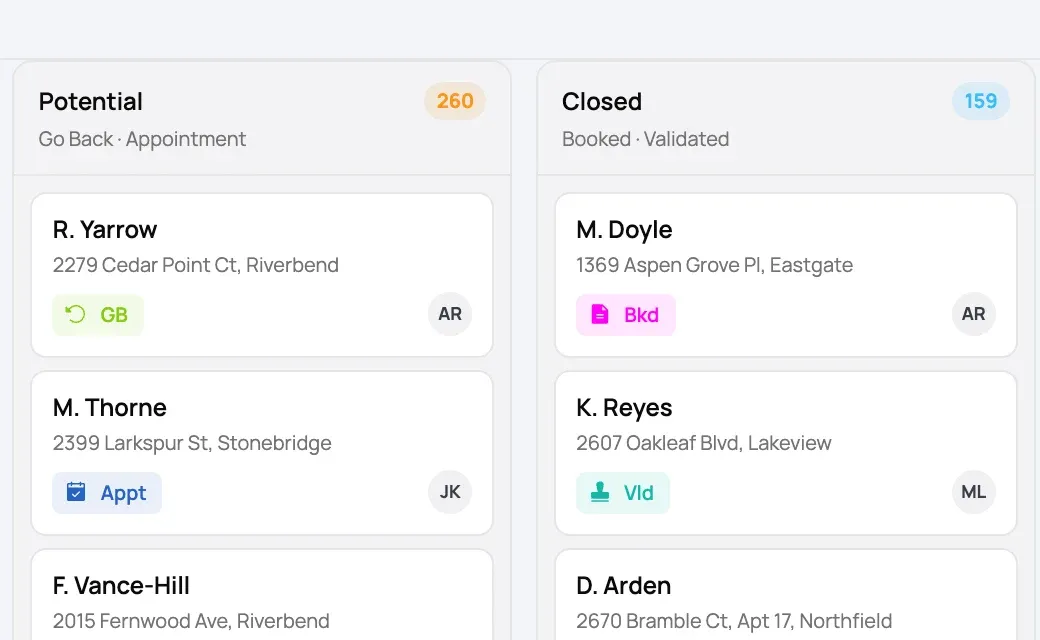
Then your reps read them back.
That short form is what a rep reads on the card. Not our abbreviation of your word — yours.
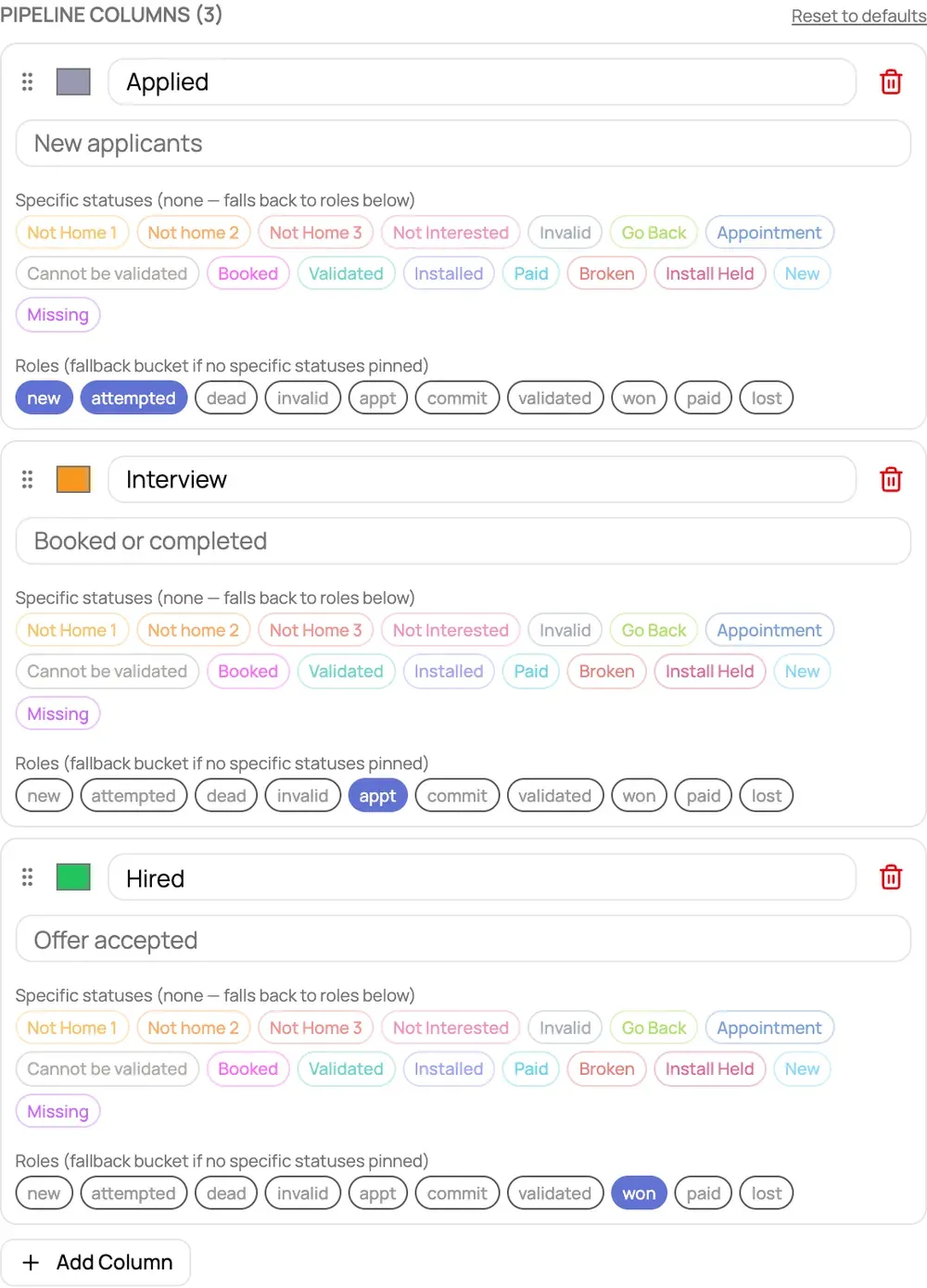
Then build the board they roll up into.
Columns are yours too — name one, subtitle it, colour it, drag it, delete it, add another. Each column decides which statuses land in it. Set per field group, so the reps on one campaign see a different board from the reps on the next.
Ten roles underneath. Those are ours.
Every status you write points at one of ten fixed roles. You never type them and you cannot add an eleventh.
That is the trade, and it is the right way round. The roles are what lets a dashboard count a win as a win when your word for it is Hired, Energised, or Tech installed — so the arithmetic holds no matter what vocabulary sits on top of it.
If a carrier sends you a file.
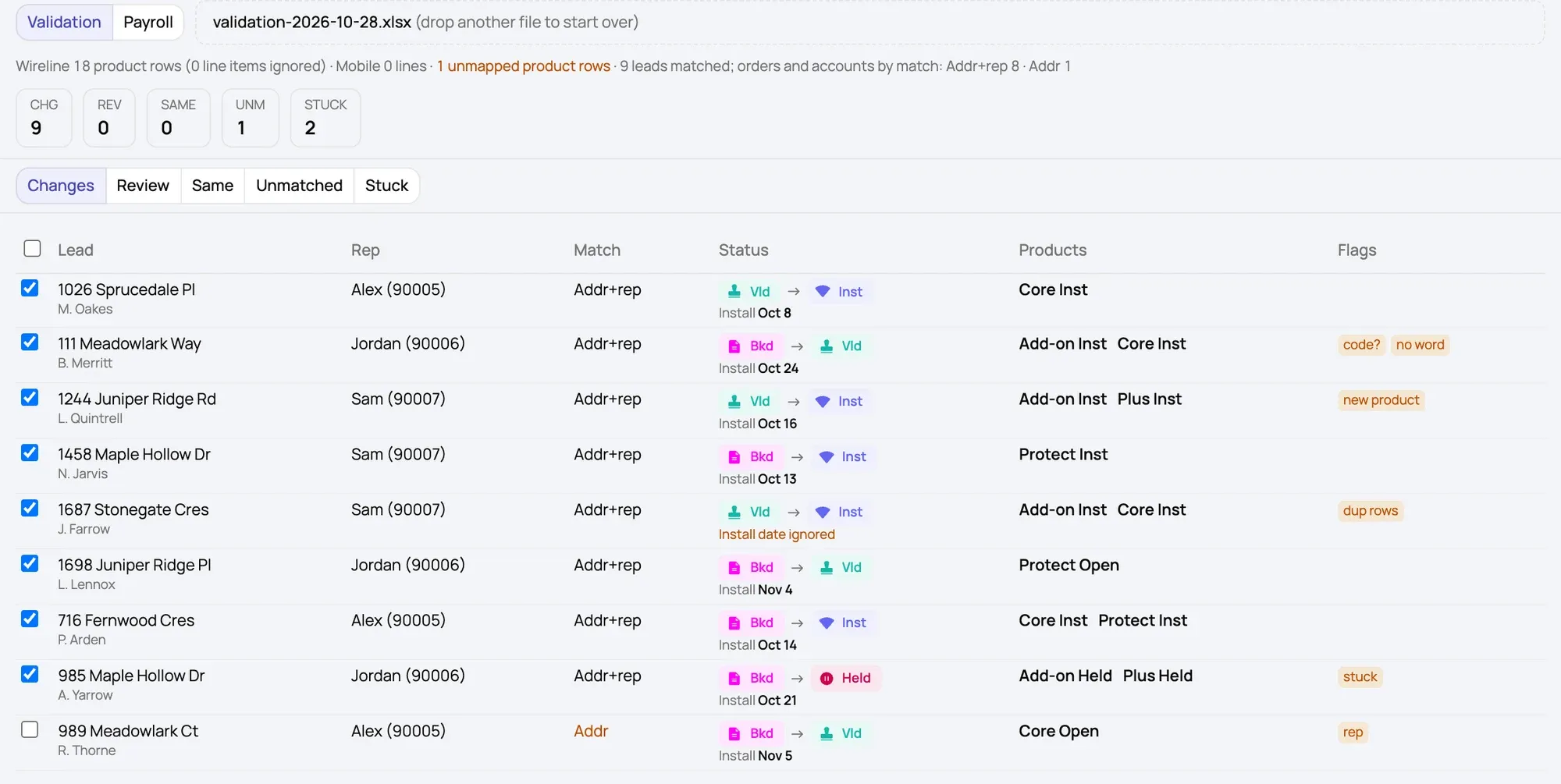
Not an edition — an input. Everything above is the same for all eight. This is the one place a third party hands you a document, and Canvast matches the orders in it to the leads that sold them. Strong matches — an account number, or the address plus the rep who held that Sales ID that day — come pre-ticked. Weaker ones wait for a person. Nothing is written until you apply, and a row the file and the lead disagree about is flagged rather than quietly going through.
Bring us your words.
Tell us how your team talks about a job and we'll show you the board that fits it — in one call.